


Description
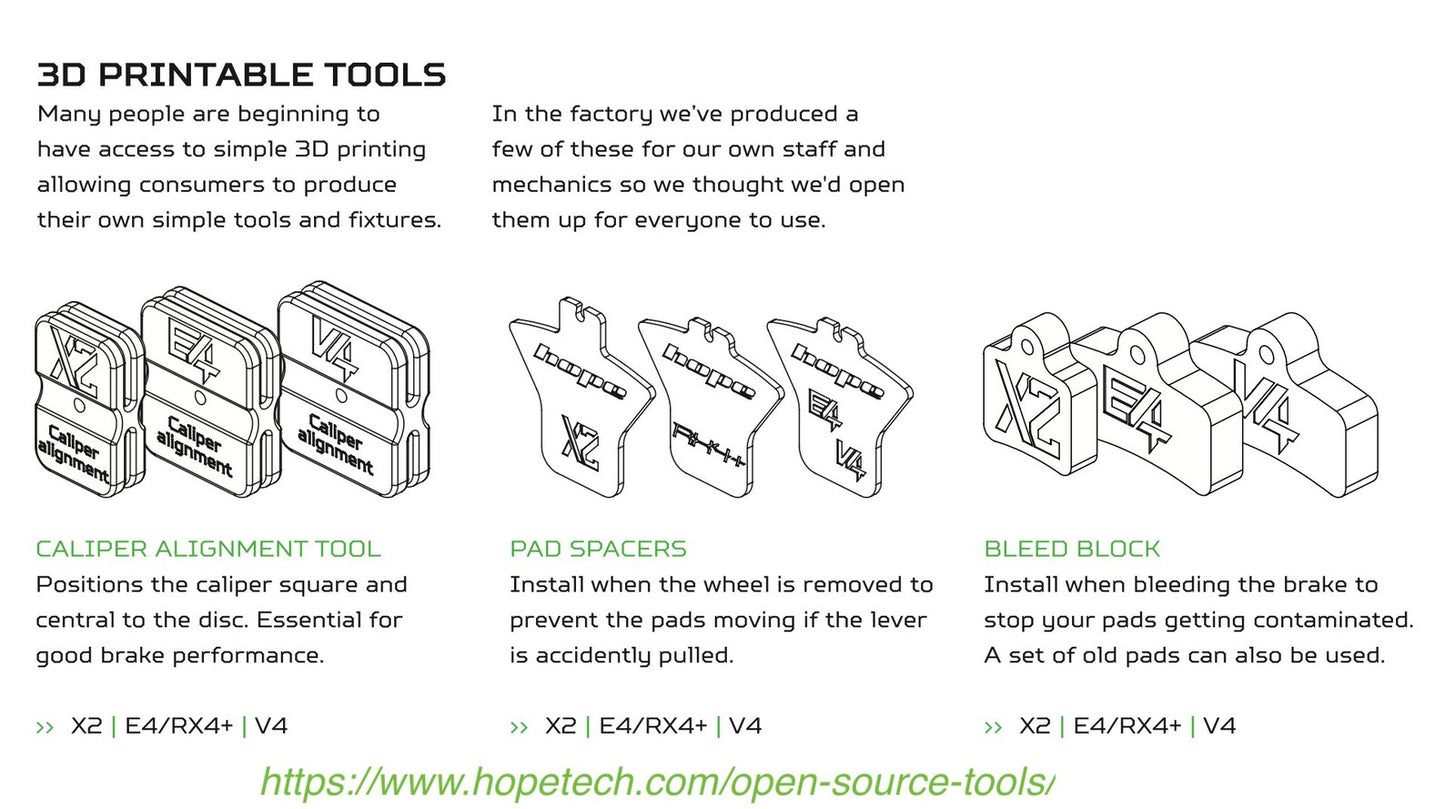
3D printable tools as shared by Hope. (see below) - caliper alignment blocks, outer piston stops, and pad spacers.
Available in basic black, orange and neon green.
Guide to the available tools:
Pad spacer: Goes between the brake pads when the wheel is removed to prevent accidentally pumping the brakes and closing the gap between the pads.
Piston seal service tool: The brake must be fully bled. Remove the pads, install the U shape tool over the front ‘half’ of the caliper body, making sure the thinner leg of the U shape tool is in the pad location.
Pump the on the master cylinder until the inner piston(s) come in contact with the tool. Remove the tool and gently remove the pistons. The outer piston(s) will be removed once bore caps are unscrewed. The caliper will be now ready for seal replacement.
Caliper alignment tool: Simply install the spacer instead of the pads and secure with the pad pin. Put over the disc and alternatively tighten the M6 caliper screws. Also note that the V4 is available in the original version for 1.8 and 2.3mm rotors, as well as a version for 2.3mm and the 3.3mm Hope vented rotor.
V4 caliper tuning tool: This tool is recommended to achieve the best lever feel when using V4 caliper with 1.8mm or 2.3mm discs. This is not required if using a 3.3mm vented disc. Also PLEASE NOTE - the V4 caliper tuning tool differs from the V4 bleed block in that it is slightly thinner, and has a tiny font on the backside which is next to illegible unless you really look. This is just a shortcoming in Hope's design.
NOTE: I have removed the brake bleed and piston exposure blocks because I now have my own version available in the "Uniblocks" page which consolidates the bleed and piston exposure functions into one block for each caliper.
Origin: See https://www.hopetech.com/open-source-tools/ for more info.